Gym and studio management
Run your gym.
Skip the paperwork.
Class schedules, memberships, payments, invoices, notifications, and more, all in one place.

Website
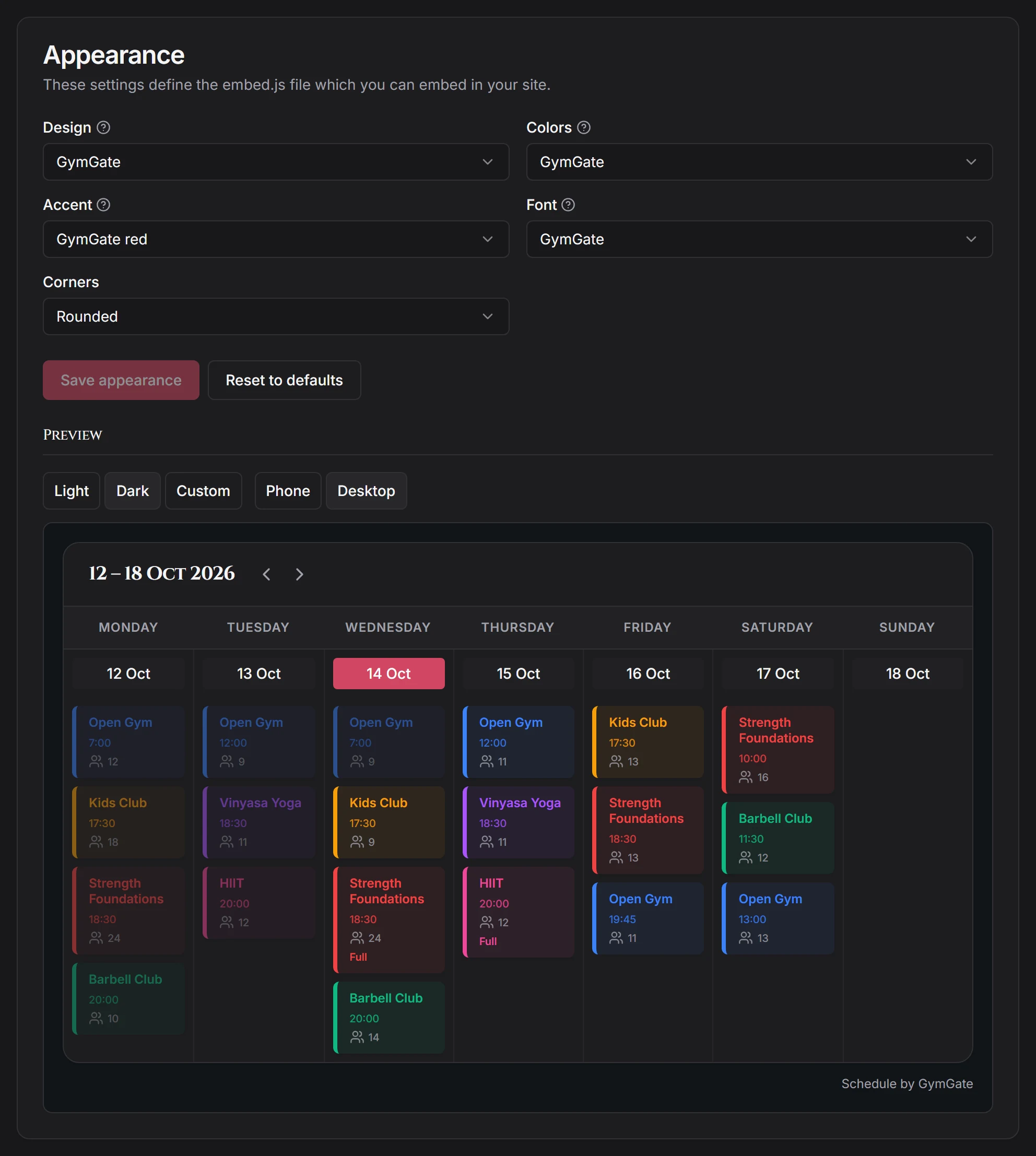
Your schedule on your website
Show your timetable on your own website. Users can book a class directly on your own website.
- Step-by-step instructions for all major website hosting platforms e.g. WordPress, Wix, Squarespace, Shopify, Webflow, Google Sites, Voog, etc.
- Automatically adjusts to dark and light themes.
- Automatically adjusts the widget's font to match the site.
- Responsive design for all screen sizes.
Members
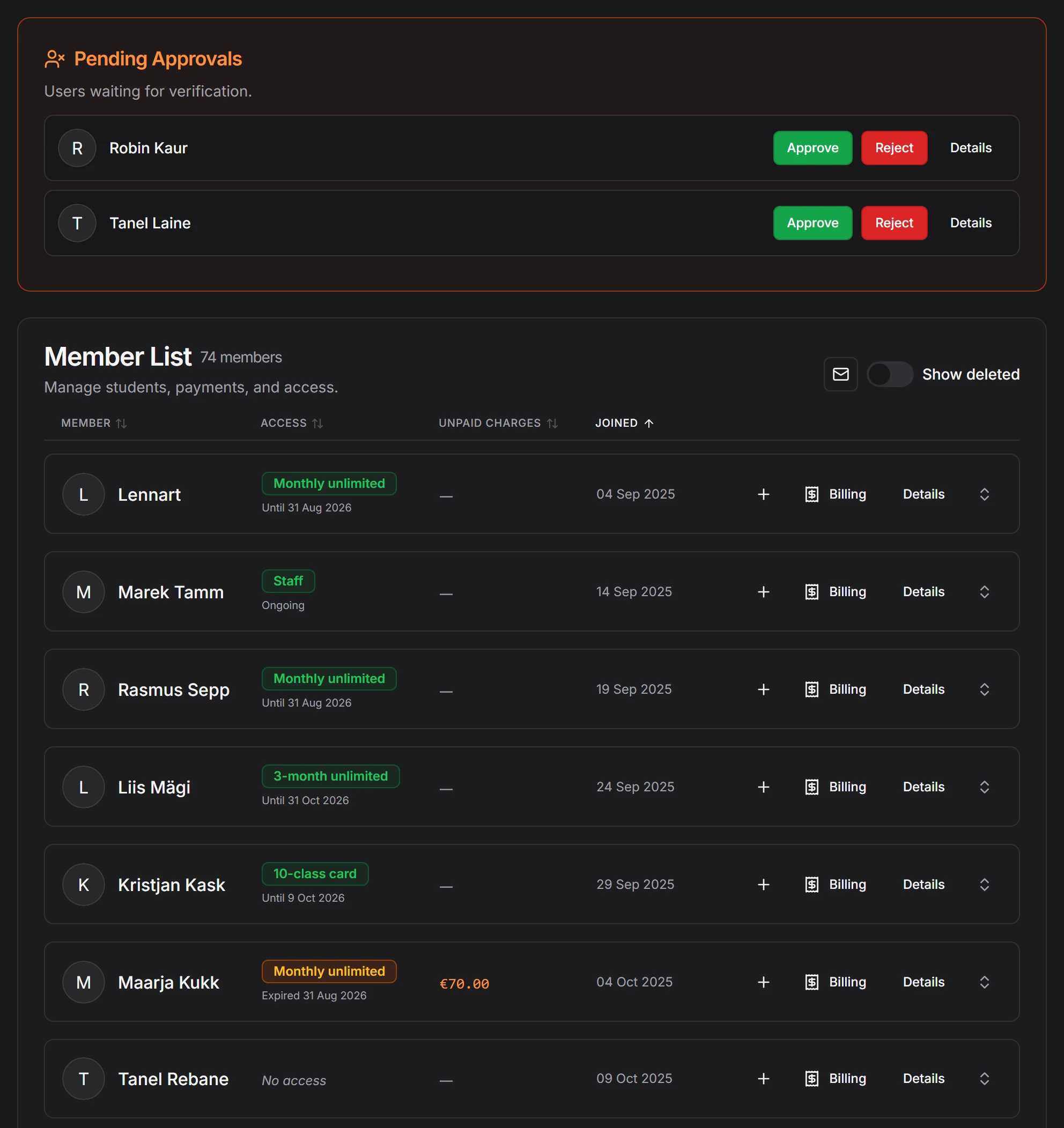
Member management
One list of all the students in the school, their memberships and their billing information, all in one place.
- See every student's membership status at a glance.
- Click on a student to manage their bookings, payments and invoices.
- Optionally approve or reject the people who ask to join.
- Keep your gym public, private or reachable by link only.
Scheduling
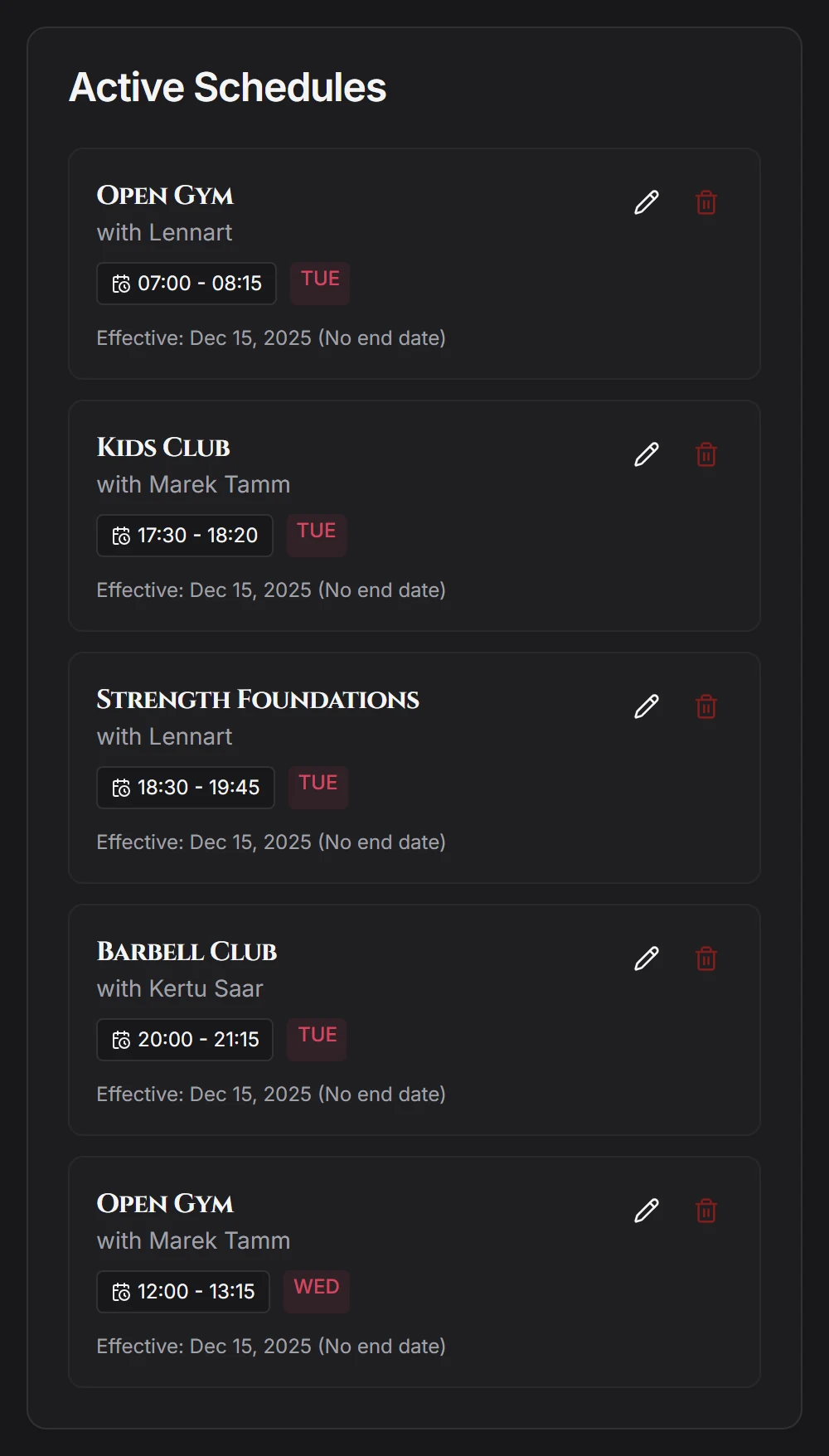
Class management
Easily schedule recurring or one time classes.
- Recurring schedules fill a rolling 90-day window automatically.
- Class capacity shows how many students have booked.
- Colour-coded class types enable students to recognise their class at a glance.
- Cancel or add a one-off session without touching the recurring pattern.
Private classes
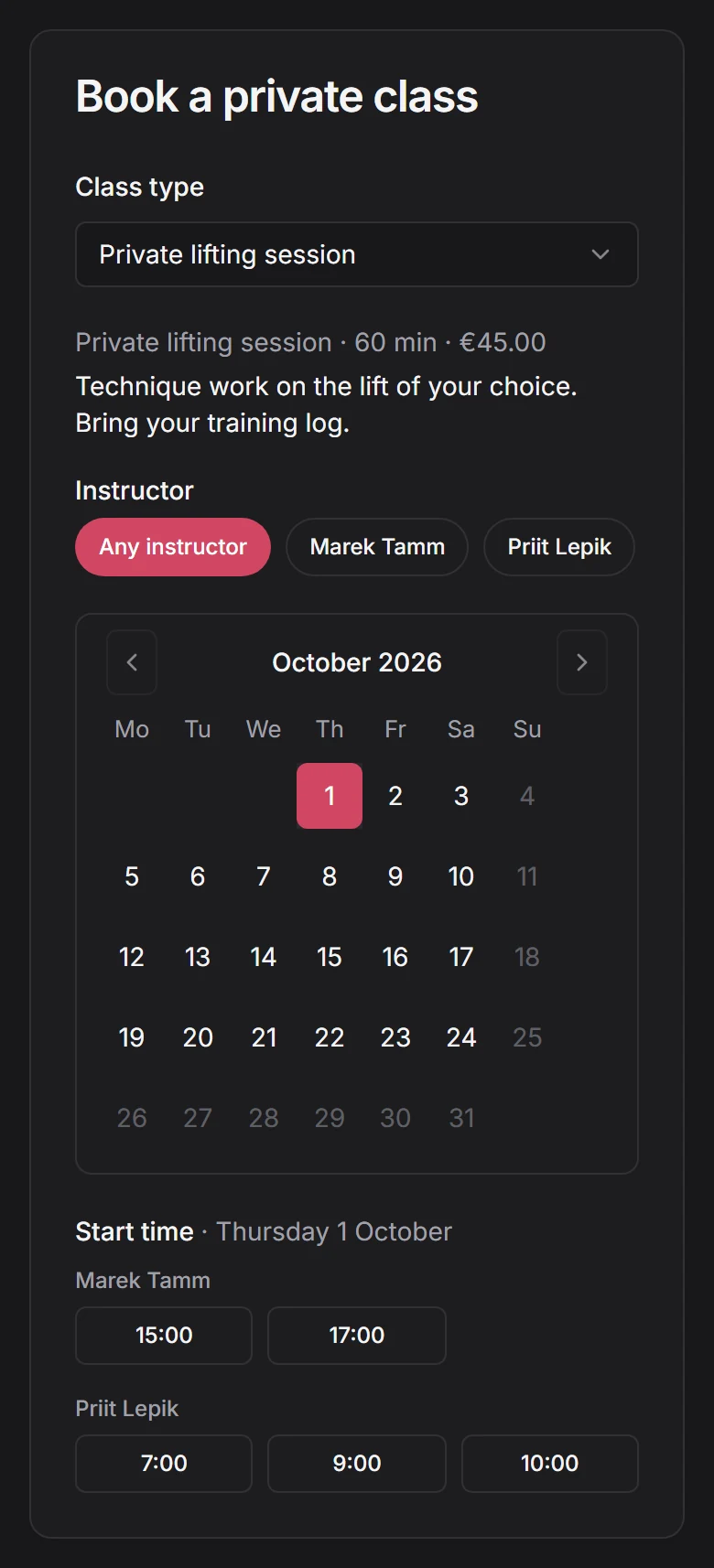
One-on-one booking
Publish separate timetables for private one-on-one classes.
- Define any number of class types.
- Each instructor can set their own hours, or staff can set them on their behalf.
- Credit card and invoicing support, even for cash deals.
- Private classes appear on the main calendar view, and notifications of new registrations and cancellations can be sent via the event system.
Payments
Flexible billing system
Flexible membership packages, customise them however you want it — Monthly memberships (calendar aligned or date-to-date), ten-class passes, drop-ins, or a rashguard off the shelf. Fully integrated credit card support or cash payments.
- Full credit-card support through Stripe Connect. No fees are charged by GymGate
- Full accounting and invoicing support for both cash and card payments
- Automatic charging for recurring subscriptions or one-time purchases
- Class passes that count down as they get used
- Optional grace period for late payments

Money
Finance
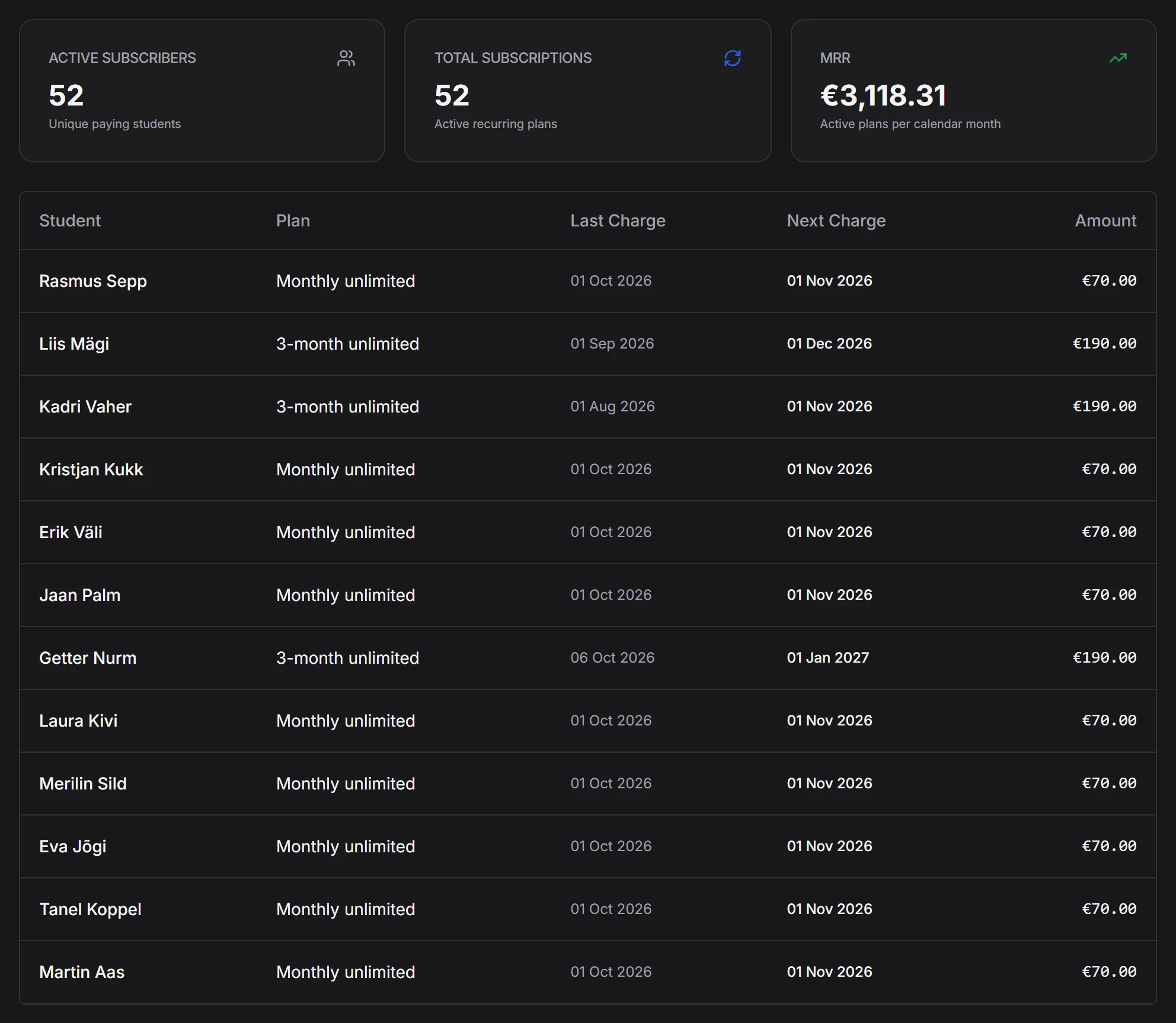
Easy revenue tracking, what's still owed, and how long it has been owed. Every payment leaves an invoice behind it.
- Revenue analysis
- Recurring income and current MRR
- Overdue charges at a glance
- Customisable invoices
Notifications
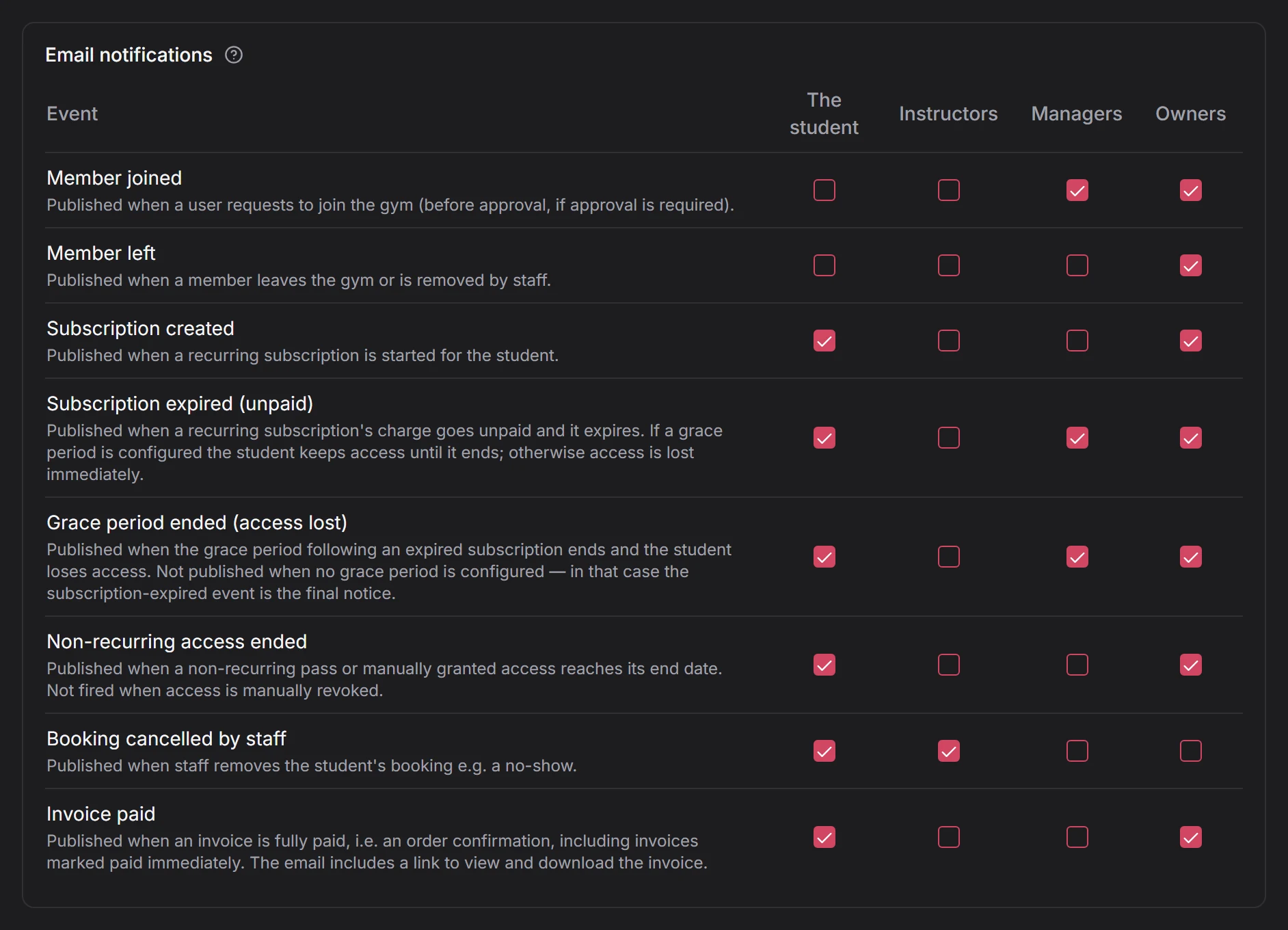
Notify students — or yourself — via email when someone joins your gym, a subscription lapses, an invoice is paid, or one goes unpaid. You choose who receives notifications and what they're notified about.
- Disabled by default. Enable if you want to be up to date instantly.
For students
Attendance tracking
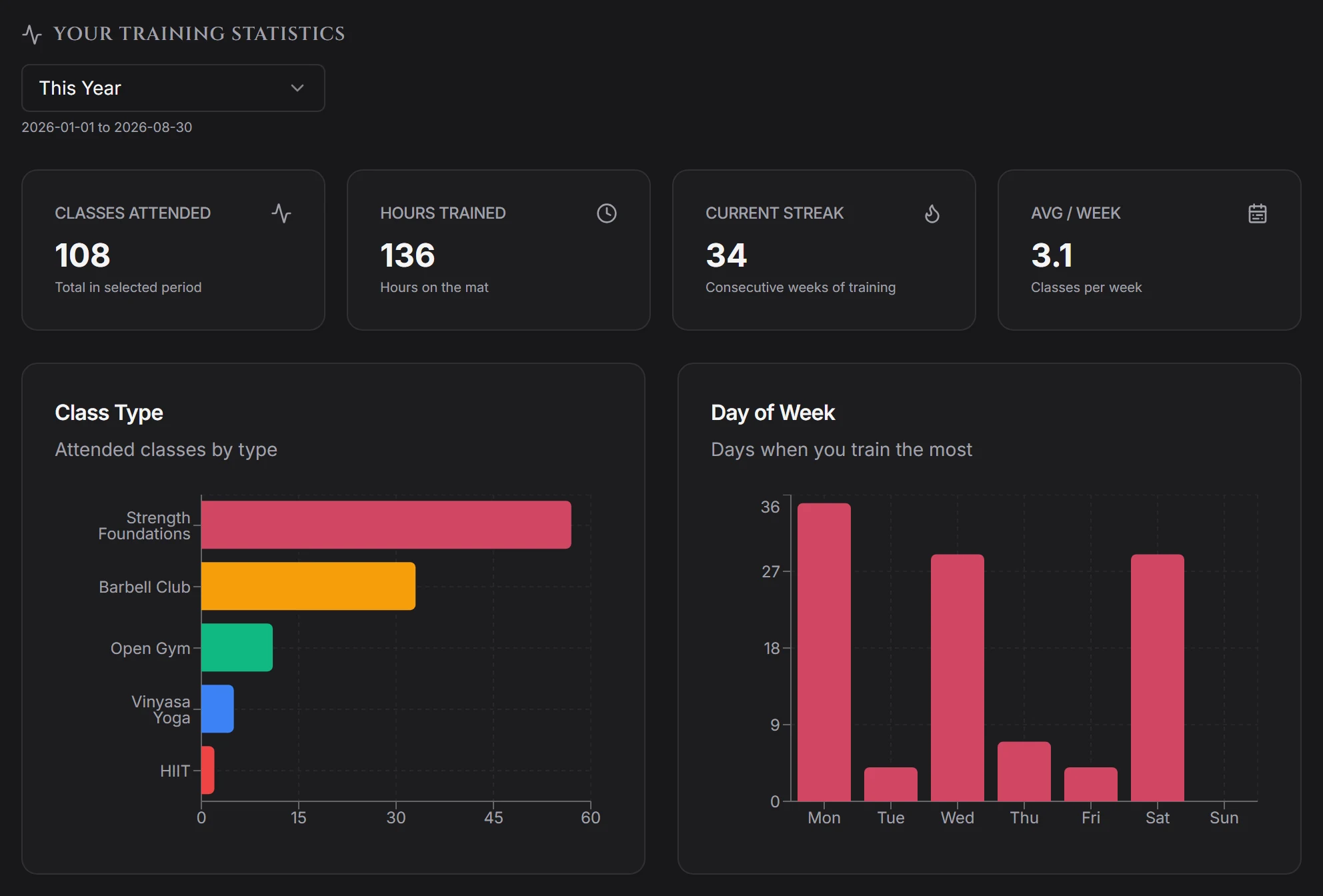
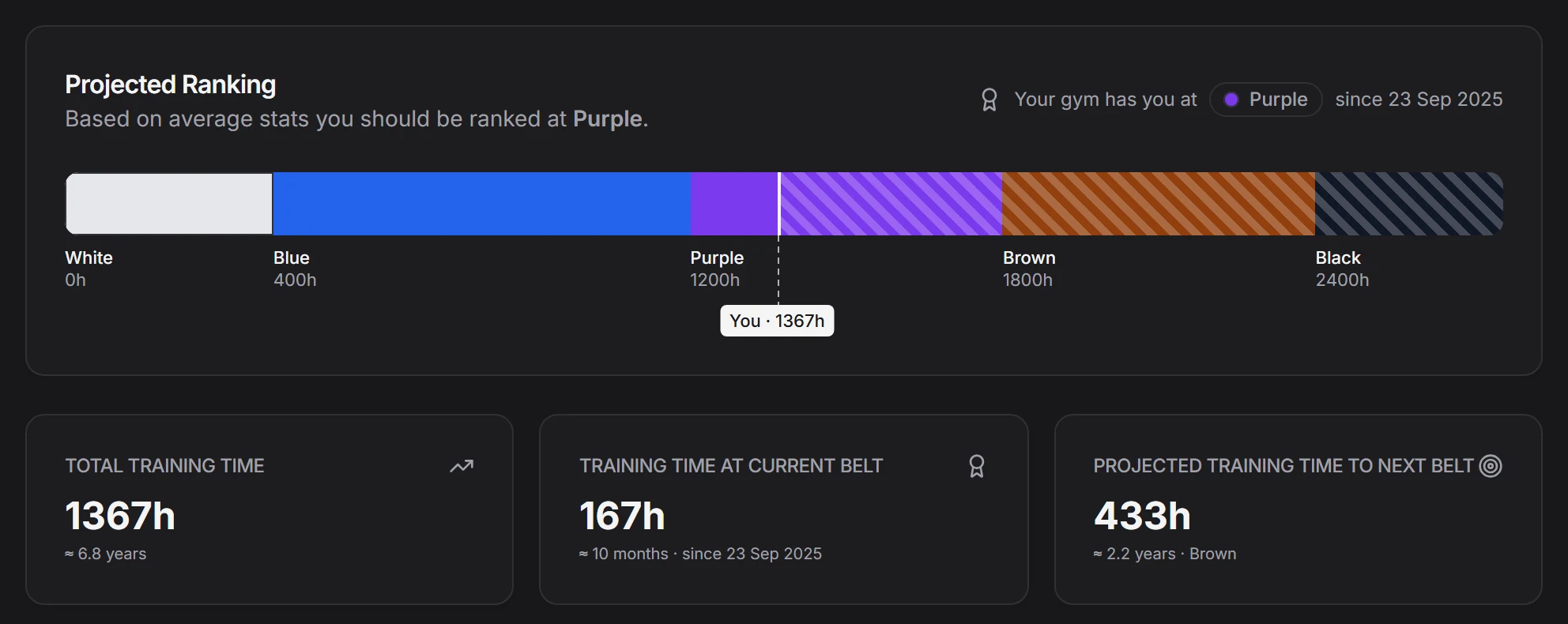
Based on registered classes, students see their training statistics and can track their progress with the optional Progress Tracker feature.
- Classes attended, hours on the mat, and the current weekly streak
- Which class types they actually train, and which nights
- Progress tracker inspired by martial arts dojos
- Their own invoices, downloadable at any time
- Cancelling a booking without messaging anyone
And more
The details that come up once a school has been running for a few months.
Roles
Owners, managers, instructors and students each see what they should. Promote a senior student to instructor without handing over the books.
Customizable invoices
Customize invoices to your local requirements. Add banking details, logo, student address etc.
Attendance leaderboard
An optional board ranking who has been showing up, with privacy settings you control. Pair it with an optional monthly lottery draw, where every class attended is one ticket.
A public page for your gym
Your timetable, location and joining details on a page you can send to anyone — or keep unlisted if you prefer privacy.
Locale
Solved edge cases with timezones, currency, and date and time formats.
Approve who joins
Turn on approval, and new members wait in a queue until you let them in. Turn it off, and anyone with the link can join.
Feature requests
Tell us what your gym needs
Much of what you see here exists because a school asked for it. If your gym needs something that is missing — a different billing rule, another report, an export your accountant wants — send us an email describing it, we will probably build it.
info@gymgate.fit
Set your gym up this week
Add your class types, put the timetable in, and send your students the link. The rest — bookings, renewals, invoices — starts happening on its own.